
If you want DeepSeek-V4-Pro in real workflows today, there are two practical paths: use DeepSeek direct API (official endpoint and billing) or run it via Ollama cloud model routing with deepseek-v4-pro:cloud. This guide gives you both, with exact commands, key management basics, and a decision rule for when to choose each path.
deepseek-v4-pro:cloud. In other words, with Ollama you can route calls through Ollama’s API surface, while DeepSeek API keys still come from DeepSeek’s own platform.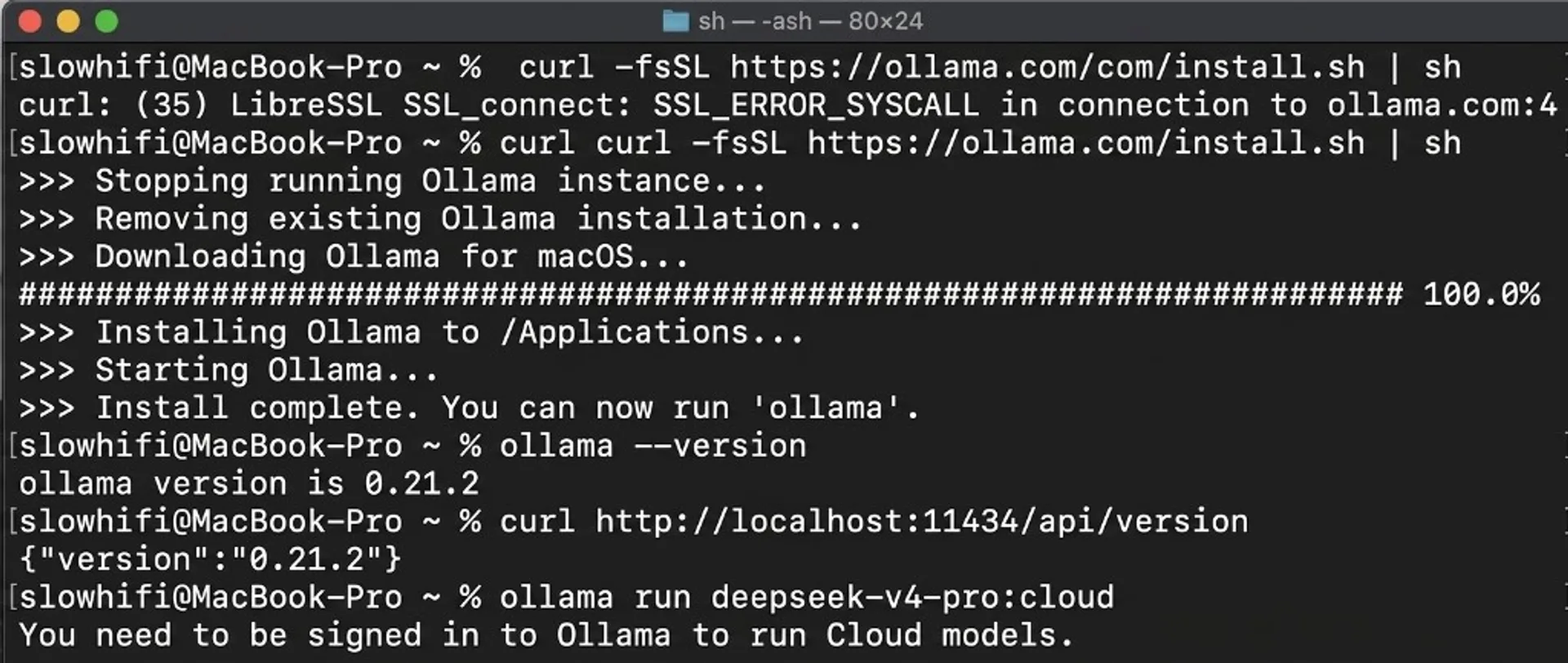
What you are actually running
Before typing commands, lock this mental model:
- Ollama local API base:
http://localhost:11434/api(official docs). - Ollama model id for this flow:
deepseek-v4-pro:cloud(official Ollama library entry). - DeepSeek direct API base (OpenAI format):
https://api.deepseek.com. - DeepSeek model ids in docs:
deepseek-v4-flash,deepseek-v4-pro.
So this guide is not about pulling V4-Pro full weights to your laptop. It is about getting reliable Pro access via either Ollama cloud routing or DeepSeek direct API.
Which path to choose first
| Path | Best for | Tradeoff |
|---|---|---|
Ollama + deepseek-v4-pro:cloud |
Teams already standardized on Ollama workflows and /api/chat calls |
Still cloud-backed model path |
| DeepSeek direct API | Direct billing, direct model controls, easiest official support path | You manage API key, provider-specific quotas, and monitoring |
Install on macOS, Windows, and Linux
Use this section if you are starting from a clean machine. The goal is simple: get Ollama running, verify local API responds, then test deepseek-v4-pro:cloud.
macOS (Apple Silicon or Intel)
- Install Ollama from the official download flow on ollama.com and open the app once.
- Open Terminal and verify CLI:
ollama --version- Check that local API is alive:
curl http://localhost:11434/api/version- Run model route check:
ollama run deepseek-v4-pro:cloudIf your shell says command not found, restart Terminal or re-login so PATH updates.
Windows (PowerShell)
- Install Ollama from the official Windows installer on ollama.com.
- Open PowerShell and verify CLI:
ollama --version- Confirm API endpoint:
curl http://localhost:11434/api/version- Run DeepSeek route:
ollama run deepseek-v4-pro:cloudWindows environment variable (current session):
$env:DEEPSEEK_API_KEY="your_real_key_here"Persist for future sessions (user-level):
setx DEEPSEEK_API_KEY "your_real_key_here"Linux (Ubuntu/Debian/Fedora/Arch class)
- Install with official script:
curl -fsSL https://ollama.com/install.sh | sh- Verify CLI and service response:
ollama --version
curl http://localhost:11434/api/version- Run DeepSeek route:
ollama run deepseek-v4-pro:cloudIf systemd service is not running after reboot, check:
systemctl status ollamaCross-platform verification checklist
- CLI works:
ollama --version - API reachable:
http://localhost:11434/api/versionresponds - Model route works:
ollama run deepseek-v4-pro:cloudreturns answer - No key in source code: use environment variables or secret manager only
Run DeepSeek-V4-Pro via Ollama
Install Ollama if needed, then run the cloud-tagged model listed in the official library page:
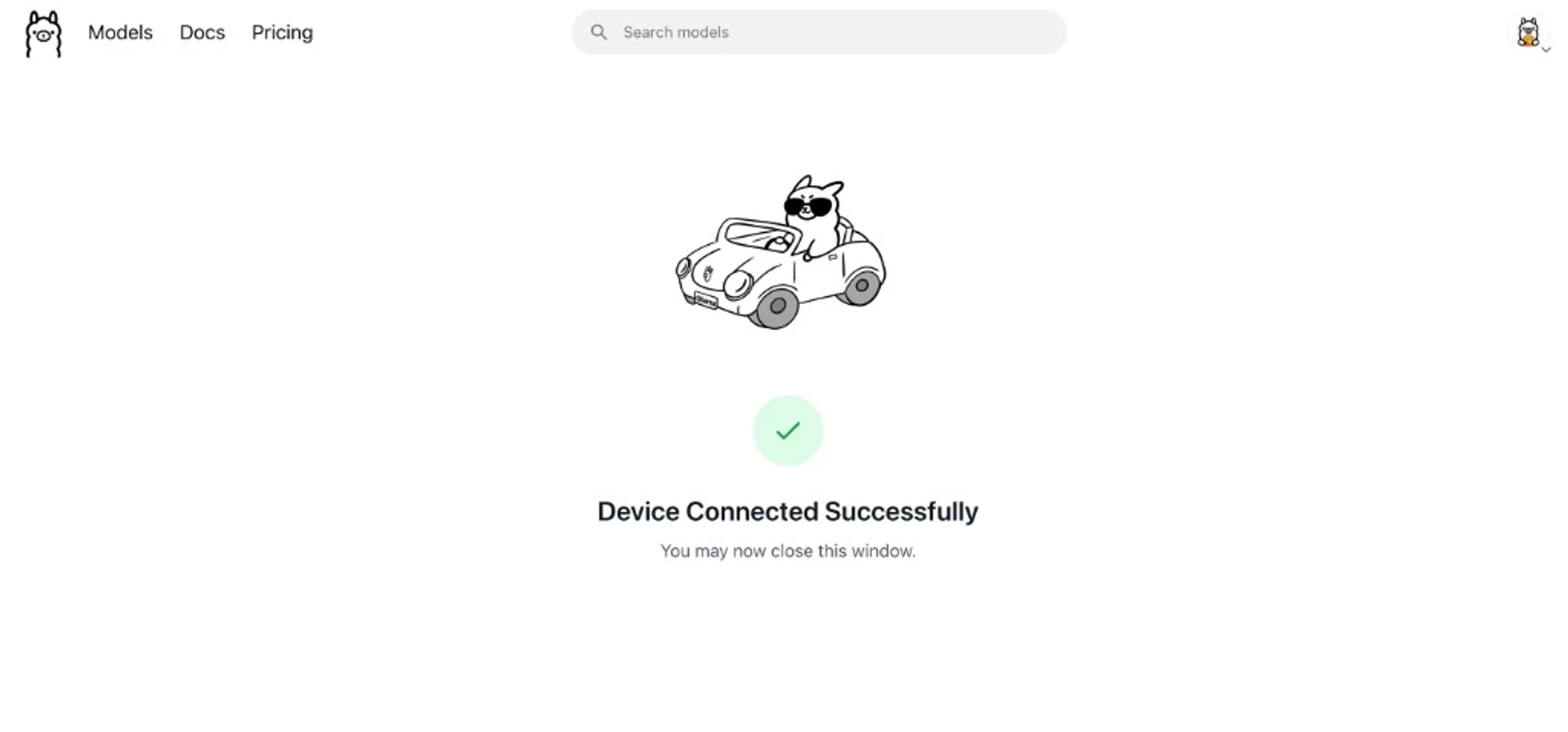
ollama run deepseek-v4-pro:cloudIf your environment is agent-first, Ollama also lists direct launch helpers:
ollama launch claude --model deepseek-v4-pro:cloud
ollama launch codex --model deepseek-v4-pro:cloud
ollama launch opencode --model deepseek-v4-pro:cloud
ollama launch openclaw --model deepseek-v4-pro:cloud
Model tags can evolve quickly. Recheck the live library page before hardcoding in scripts.
Call it from Ollama API
Once Ollama is running, use its default local API endpoint:
curl http://localhost:11434/api/chat \
  -d '{
    "model": "deepseek-v4-pro:cloud",
    "messages": [
      {"role": "system", "content": "You are a concise coding assistant."},
      {"role": "user", "content": "Review this function for edge cases."}
    ]
  }'
If you are migrating existing OpenAI-style clients, Ollama also supports compatibility endpoints at http://localhost:11434/v1/ in official docs.
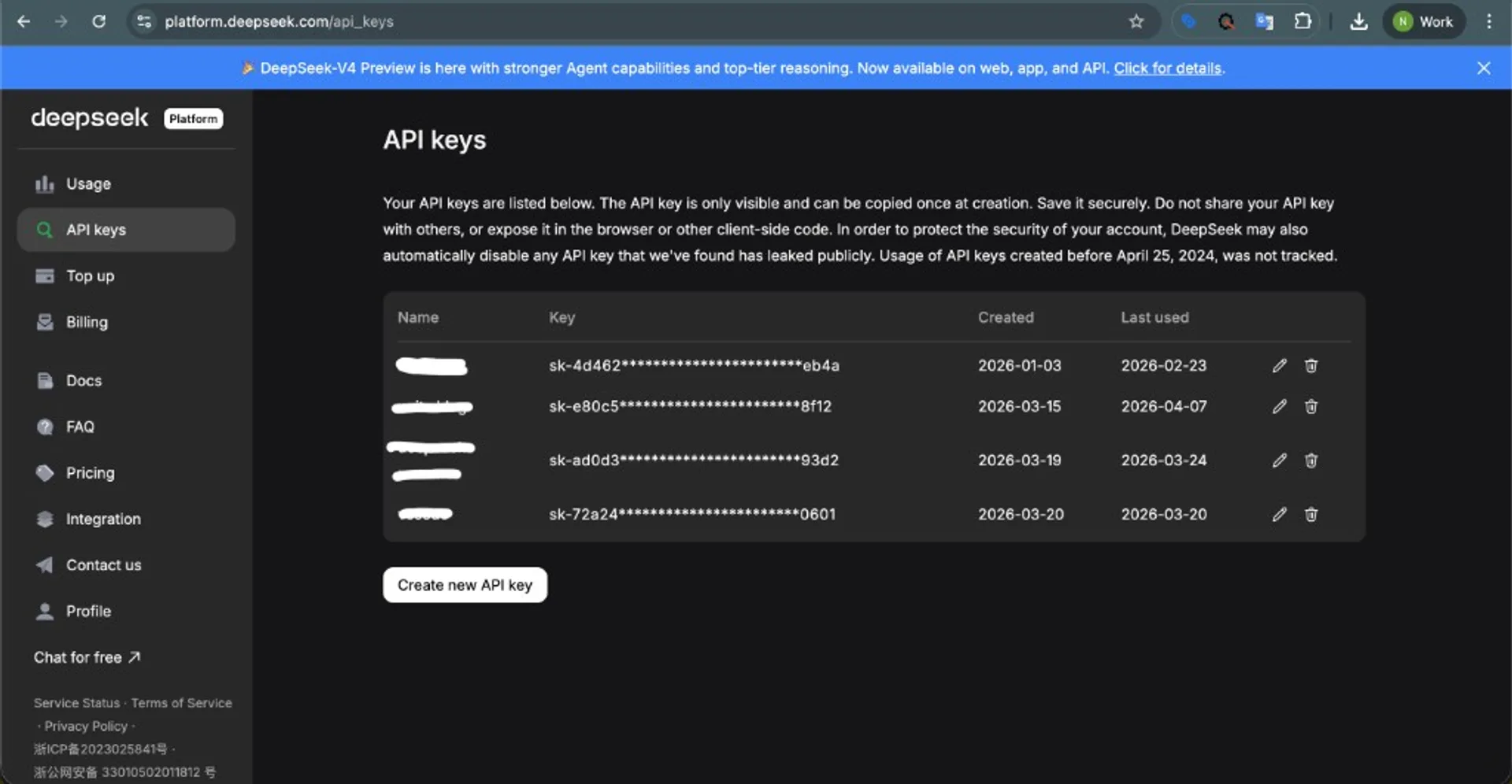
Create DeepSeek API key
- Open the DeepSeek key page: platform.deepseek.com/api_keys.
- Create a new key for your project/workspace.
- Store it in your secret manager or environment variable, never in source code.
- Set local env var:
export DEEPSEEK_API_KEY="your_real_key_here"For teams, prefer one key per service (or environment) instead of sharing one key across all apps. On Windows PowerShell, use $env:DEEPSEEK_API_KEY="..." for current session or setx for persistence.
First DeepSeek API call
DeepSeek docs show OpenAI-format chat completions with base URL https://api.deepseek.com.
curl https://api.deepseek.com/chat/completions \
  -H "Content-Type: application/json" \
  -H "Authorization: Bearer ${DEEPSEEK_API_KEY}" \
  -d '{
    "model": "deepseek-v4-pro",
    "messages": [
      {"role": "system", "content": "You are a helpful assistant."},
      {"role": "user", "content": "Give me a 5-step API migration checklist."}
    ],
    "thinking": {"type": "enabled"},
    "reasoning_effort": "high",
    "stream": false
  }'
Use OpenAI SDK with DeepSeek
Because DeepSeek API is OpenAI-format compatible, you can keep your OpenAI SDK call shape and just switch base URL + model id:
from openai import OpenAI

client = OpenAI(
    base_url="https://api.deepseek.com",
    api_key=os.environ["DEEPSEEK_API_KEY"],
)

resp = client.chat.completions.create(
    model="deepseek-v4-pro",
    messages=[{"role": "user", "content": "Write test cases for input validation."}],
)

print(resp.choices[0].message.content)
Thinking mode and effort controls
DeepSeek docs expose:
thinking.type:enabledordisabledreasoning_effort:highormax
Practical rule:
- Use thinking disabled for high-throughput, low-complexity prompts.
- Use thinking enabled + high for general engineering analysis.
- Use thinking enabled + max for hard debugging, deep planning, or agentic chains where quality matters more than speed/cost.
Pricing and cost control checklist
DeepSeek pricing is billed per 1M tokens with input split into cache-hit and cache-miss lanes. The docs also note a limited-time 75% discount window for Pro (with explicit UTC end date) on the pricing page snapshot.
- Always read live table before committing budget.
- Separate prompt templates (stable prefix) from dynamic user payload to improve cache-hit behavior.
- Cap output tokens per endpoint by use case.
- Log reasoning usage because high/max effort changes spend profile.
If you need the full pricing breakdown already translated into workflow language, see DeepSeek V4 Pro API pricing guide.
Production security checklist
- Do not ship API keys in frontend code or mobile binaries.
- Keep provider keys server-side only.
- Use separate keys for dev/staging/prod.
- Rotate keys on schedule and immediately on leak suspicion.
- Mask prompts/responses in logs if they may contain PII or credentials.
Troubleshooting
model not found on Ollama
Check exact tag: deepseek-v4-pro:cloud. Do not assume deepseek-v4-pro (without suffix) is available locally.
401 / invalid auth on DeepSeek API
Verify DEEPSEEK_API_KEY, no extra spaces, and that your request uses Authorization: Bearer ....
Unexpected high bills
Inspect prompt length, output cap, and whether you are overusing reasoning_effort=max on low-value requests.
Sources
Local AI Masterclass: LLMs, Diffusion & AI-Agents on Your PC
Available at Udemy — practical local-AI learning path (LLMs, diffusion, agents) you can combine with Ollama, API-first stacks, and hybrid local/cloud workflows. Course title, curriculum, and price can change; verify details on the merchant page before purchase.
View course on UdemyFrequently asked questions
Can I run DeepSeek-V4-Pro fully local with Ollama right now?
The official Ollama library entry currently exposes deepseek-v4-pro:cloud. That indicates cloud routing rather than a standard local pull flow for full Pro weights on consumer hardware.
Do I need a DeepSeek API key if I only use Ollama?
For direct DeepSeek API calls, yes. For Ollama cloud model routing, follow Ollama account and cloud model requirements in your environment. Keep keys and credentials separated by path.
What is the safest migration path from OpenAI SDK code?
Keep your existing request shape, change base_url and model, then run side-by-side regression tests on representative prompts before production cutover.
Should I use reasoning_effort=max by default?
No. Reserve max for high-value complex tasks. Defaulting to it everywhere usually raises latency and cost without proportional quality gain.