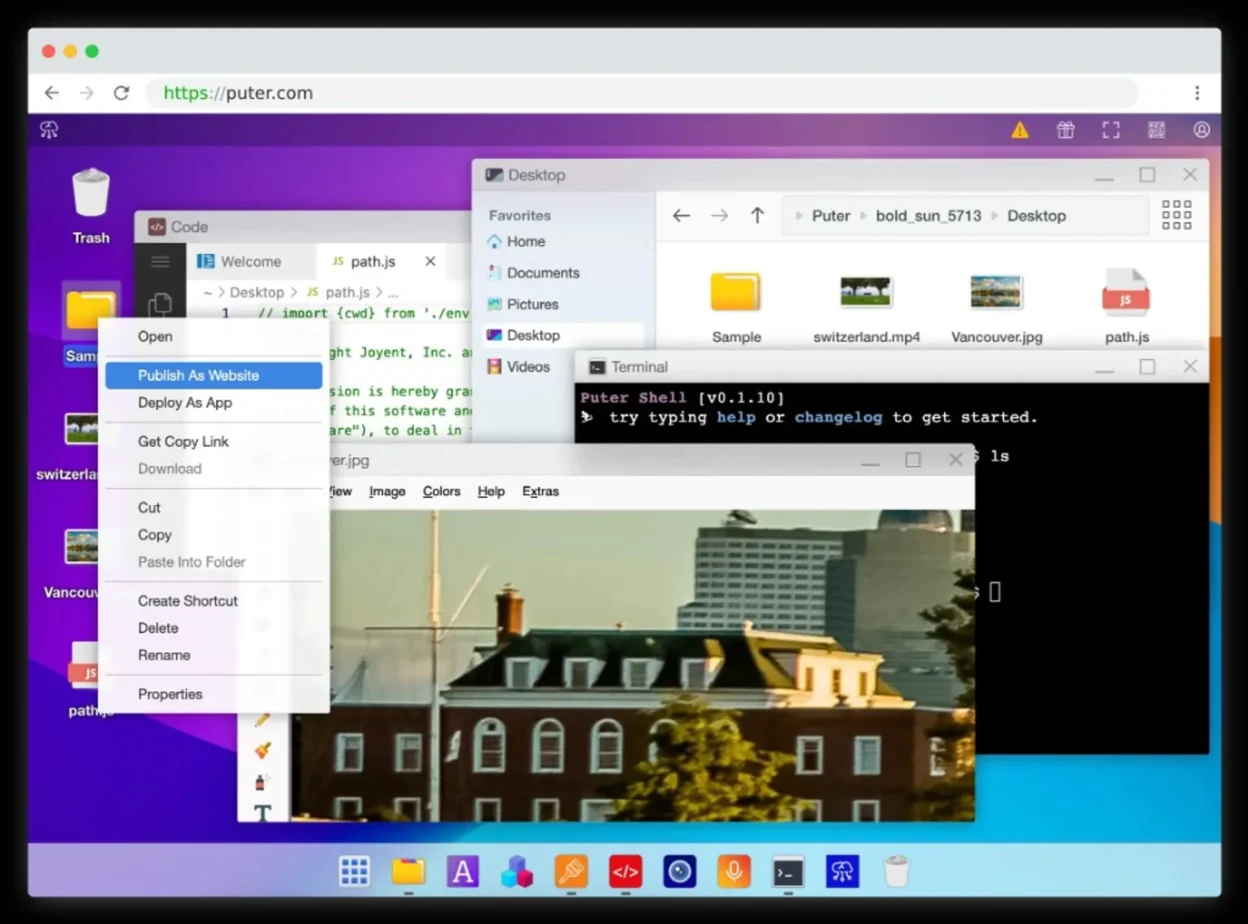
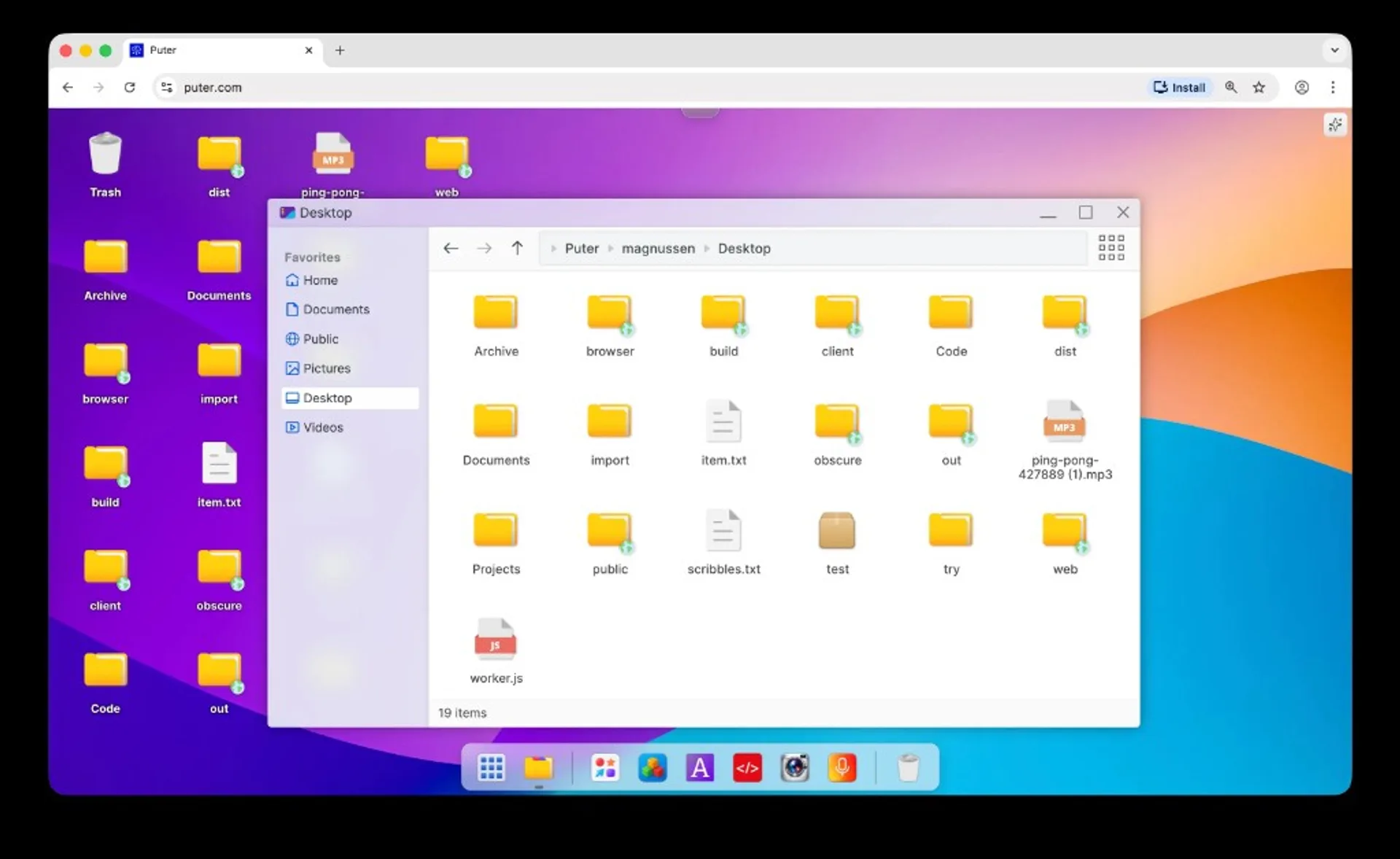
Puter is an open-source project marketed as an Internet operating system and personal cloud computer: a browser-accessible environment where files, lightweight apps, and games can live in one place, with a strong emphasis on privacy, self-hosting, and a AGPL-3.0 license. The canonical codebase lives at HeyPuter/puter on GitHub; a hosted instance runs at puter.com. This article explains what Puter is for, how it differs from a simple file sync folder, how to run it locally or in Docker, and what you should know before you commit engineering time.
What Puter is
According to the project’s own README, Puter is an advanced, open-source internet operating system designed to be feature-rich, fast, and highly extensible. The phrase “Internet OS” here means a web-centric desktop environment and application layer you use through the browser (and related tooling), not a kernel replacement for Linux or Windows on bare metal.
Puter is explicitly positioned alongside:
- Personal cloud storage with a privacy-first narrative.
- Application and publishing platform for websites, web apps, and games.
- Consumer-cloud alternatives in the same mental category as Dropbox-style sync, but with a different UI and capability stack.
- Remote desktop / web desktop style access patterns for servers and workstations, depending on how you deploy and integrate it.
- Learning and community entry point into web development, cloud concepts, and distributed systems.
If you are new to why browser-based “OS” layers exist at all, What Is Generative AI? is not Puter-specific, but it helps situate how modern web stacks carry more of the “runtime” burden that used to live only on the desktop.
Primary use cases
1) Privacy-first personal cloud
The README leads with keeping files, apps, and games in one secure place accessible from anywhere. Self-hosting (below) is the lever that turns marketing language into something you can actually verify: data residency, backups, and access control become your policies.
2) Builder surface for web apps and games
Puter is also framed as a platform for building and publishing web experiences. That use case matters if you want a cohesive shell (file tree, apps, identity) instead of stitching together five separate SaaS dashboards.
3) Homelab and NAS-adjacent workflows
GitHub topic tags include nas and cloud-storage, which matches how homelab operators often evaluate Puter: a single pane for storage and lightweight apps behind their own reverse proxy and auth.
4) Education and open-source contribution
The repository is large, active (thousands of commits), and multilingual on the documentation side. For developers, it is a concrete codebase to study real-world browser UI, cloud APIs, and packaging—not a toy demo.
Project scale and repository layout
The GitHub repository shows substantial community traction (on the order of tens of thousands of stars and thousands of forks—check the live repo for current numbers). Commit volume is high, which implies an active merge cadence and ongoing feature work rather than a dormant archive.
Top-level folders you will see when browsing the tree (useful for orienting before you clone):
src/— core application source.doc/— project documentation.extensions/— extension-related assets.mods/andmod_packages/— modularity and packaged mods.tests/— automated tests.tools/— developer tooling.Dockerfile,docker-compose.yml— container deployment.package.json, TypeScript configs — Node-based build pipeline.rust-toolchain.toml— Rust toolchain pin (used where native components apply).
Language mix on GitHub is dominated by JavaScript and TypeScript, with smaller shares of CSS, HTML, and traces of Python—consistent with a web-first desktop product.
Technology stack and license (AGPL-3.0)
Runtime and build expectations
The README states:
- Node.js 24+
- npm (latest stable)
- Supported host OS for development: Linux, macOS, Windows
The repository includes a detailed install.md with distro-specific guidance for installing Node via package managers or nvm on Arch, Debian/Ubuntu, CentOS/RHEL, Fedora, openSUSE, and optional nvm workflows—useful when your server image ships an older Node by default.
AGPL-3.0 and what it means for you
The README is explicit: the repository and its contents are licensed under AGPL-3.0 unless a subdirectory states otherwise, and third-party libraries may carry their own licenses.
Practical takeaway for self-hosters and product teams: AGPL is a strong copyleft license oriented toward network-delivered software. If you modify Puter and offer it as a service to users over a network, you should assume source-sharing obligations may apply unless you have qualified legal guidance saying otherwise. For internal-only deployment inside a company, obligations still differ from permissive licenses like MIT—treat AGPL as a compliance checkpoint, not a footnote.
Local development setup
Official quick start from the README:
git clone https://github.com/HeyPuter/puter
cd puter
npm install
npm start
Expected outcome: Puter becomes available at http://puter.localhost:4100 (or the next available port if 4100 is taken). If that URL does not resolve, the README points to First Run Issues troubleshooting—follow that before changing random firewall rules.
Tip: ensure Node meets the 24+ requirement before npm install; mismatched Node versions are the most common source of cryptic dependency errors on first clone.
Docker and Docker Compose
Single-container Docker run
The README documents a one-shot pattern that creates config and data directories, fixes ownership to UID/GID 1000, maps port 4100, and mounts volumes for /etc/puter and /var/puter against the published image ghcr.io/heyputer/puter. After launch, the same puter.localhost:4100 convention applies.
Docker Compose on Linux and macOS
Official steps: create puter/config and puter/data, chown to 1000:1000, download docker-compose.yml from the main branch, then docker compose up.
Docker Compose on Windows
The README provides PowerShell-oriented directory creation and an Invoke-WebRequest line to fetch docker-compose.yml, then docker compose up. That matters because path and permission semantics differ from Unix—copy the upstream snippet rather than improvising.
Always pin the image tag or digest for production. latest is convenient for experiments; it is a poor stability contract for anything customer-facing.
Self-hosting and configuration
The README defers deep production guidance to Self-Hosting Documentation on the project site—topics typically include TLS termination, reverse proxies, backups, identity integration, and resource limits. Treat the GitHub README as the bootstrap path and the self-hosting docs as the operations manual.
Repository artifacts that signal production-mindedness include .env.example (environment template), SECURITY.md, BUG-BOUNTY.md, and docker-compose.yml—good indicators that upstream expects real deployments, not only local demos.
System requirements
From the README:
| Resource | Minimum | Notes |
|---|---|---|
| RAM | 2 GB | 4 GB recommended |
| Disk | 1 GB free | Grows with user data and apps |
| Node (dev from source) | Node.js 24+ | npm latest stable |
| OS | Linux, macOS, Windows | Matches dev and container workflows |
For anything beyond a single-user experiment, plan headroom for the database or storage backend you attach, reverse proxy logs, and concurrent browser sessions.
Community, support, and security
Channels
The README lists:
- Issues and pull requests on GitHub for bugs and features.
- Discord, X (Twitter), Reddit, and Mastodon for community discussion.
- Email
hi@puter.comfor maintainer contact. security@puter.comfor security reports.
Security posture
Presence of SECURITY.md, BUG-BOUNTY.md, and SECURITY-ACKNOWLEDGEMENTS.md suggests an organized disclosure path. If you self-host on the public internet, combine upstream guidance with your own hardening baseline (TLS, auth, rate limits, updates).
Languages and accessibility of docs
The README enumerates many community translation targets (Arabic, Chinese, French, Japanese, Vietnamese, and more). That breadth usually correlates with a global contributor base—useful if you need UI copy or docs in languages beyond English.
Sources
- GitHub — HeyPuter/puter (README, license, Docker instructions)
- GitHub — install.md (Node.js setup by distro)
- Puter.com — hosted service
Star counts, issue counts, and default branches change. Reconcile any operational detail against the live GitHub default branch before you automate deployments.
Frequently asked questions
Is Puter a replacement for my laptop operating system?
No in the traditional sense. It is a web-centric environment and cloud layer you access through the browser (and related tooling), not a kernel that boots your hardware instead of Windows or Linux.
Can I use Puter without self-hosting?
Yes. The README advertises a hosted offering at puter.com in addition to self-hosted and local development paths.
Why AGPL-3.0 instead of MIT?
AGPL is a strong copyleft choice that tends to keep derivatives open when software is delivered as a network service. That aligns with community-owned infrastructure goals, but it imposes compliance obligations you should review with counsel if you ship a modified product.
What should I do first after Docker comes up?
Verify TLS and authentication if exposed publicly, configure backups for the mounted data volume, and read the project’s self-hosting documentation for recommended production settings.